
ENGINEER IT · QUICKSURFACE + SOLIDWORKS
Turn Scan Data Into Engineering-Ready CAD.
You've captured the physical part. Now turn that scan data into something you can actually work with.
QUICKSURFACE transforms 3D scan data into accurate, editable CAD geometry, giving engineers the tools to reconstruct, refine and redesign existing components. Combined with SOLIDWORKS, it creates a powerful reverse-engineering workflow - taking you from physical part to editable digital model and onwards to manufacture.

From Scan Data to Usable CAD.
Recreate Existing Parts
Turn scanned components into accurate CAD geometry, providing a digital starting point when the original drawings or CAD files no longer exist.
Extract Design Geometry
Identify and recreate planes, cylinders, sections, profiles and other geometric features from scan data — turning a complex mesh into usable engineering geometry.
Modify & Improve
Go beyond simply reproducing the original. Refine dimensions, change features and develop the reconstructed model to create an improved or completely new component.
Check Against the Original
Compare reconstructed CAD geometry with the original scan data to identify deviations and verify how closely the new digital model represents the physical part.

From Scan to Something You Can Engineer.
A 3D scan captures the part. Engineering turns it into something you can use.
QUICKSURFACE bridges the gap between raw scan data and conventional CAD, transforming captured geometry into editable models that can be refined, redesigned and prepared for production.
Take an existing component, capture it, reconstruct it and turn it into the digital foundation for whatever comes next.
Scan it → Engineer it → Make it.
Choose the Right Reverse-Engineering Workflow.
From straightforward scan-to-CAD projects to advanced professional reverse engineering and fully integrated SOLIDWORKS workflows, QUICKSURFACE provides different ways to turn physical geometry into usable engineering data.
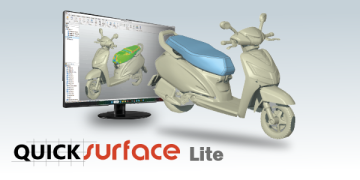
QUICKSURFACE LITE
A straightforward route from scan to CAD.
An accessible solution for converting 3D mesh data into usable CAD geometry. QUICKSURFACE Lite provides essential tools for working with scan data, extracting geometry and creating models that can be exported into standard CAD formats.
Ideal for less complex reverse-engineering projects and organisations taking their first steps into scan-to-CAD workflows.

QUICKSURFACE PRO
Professional reverse engineering from scan to CAD.
The complete standalone QUICKSURFACE solution for demanding reverse-engineering workflows.
Advanced tools for mesh processing, feature extraction, surface creation, freeform and hybrid modelling help engineers reconstruct complex physical components and transform scan data into accurate, editable CAD models.
VIEW QUICKSURFACE PRO →

QUICKSURFACE FOR SOLIDWORKS
Reverse engineer directly inside SOLIDWORKS.
Bring scan-to-CAD functionality into the familiar SOLIDWORKS environment.
QUICKSURFACE for SOLIDWORKS enables engineers to use scan data as the foundation for rebuilding components, extracting reference geometry, creating surfaces and developing editable CAD models — without moving the engineering workflow into a separate CAD platform.
VIEW QUICKSURFACE FOR SOLIDWORKS →
From Existing Object to New Idea.
Reverse engineering gives students more than the ability to reproduce an existing component. It gives them a starting point for learning, questioning and creating.
Once an object has been transformed into editable CAD geometry, students can investigate how it was designed, modify its dimensions, improve its functionality or use the original geometry as inspiration for something entirely new.
And when the engineering is complete, they can take their design into the next stage — 3D printing, CNC machining, cutting or fabrication — and see the result become physical again.
Engineer it → then make it.

QUICKSURFACE + SOLIDWORKS + 3D Additive Solutions
Bring Reverse Engineering Into the Learning Environment.
3D Additive Solutions helps schools, colleges and universities connect 3D scanning with CAD and reverse engineering, giving students practical experience of the workflows used across modern engineering and manufacturing.
Whether you're introducing scan-to-CAD for the first time or equipping an advanced engineering, design or research programme, we'll help you identify the right software and technology for your learning environment.
EXPLORE QUICKSURFACE SOLUTIONS →
Get the Latest from 3DAS
Stay updated with industry insights, product launches, and expert 3D engineering tips delivered straight to your inbox.